
Projects
Invoice a project in phases
Project phases are for work in stages that you invoice as each one is done, such as research, design and build.
Set up the phases
Choose the project's Start date, then Add phase for each stage. Each phase has:
- a name, such as "Design";
- a Duration in whole weeks;
- an Amount.
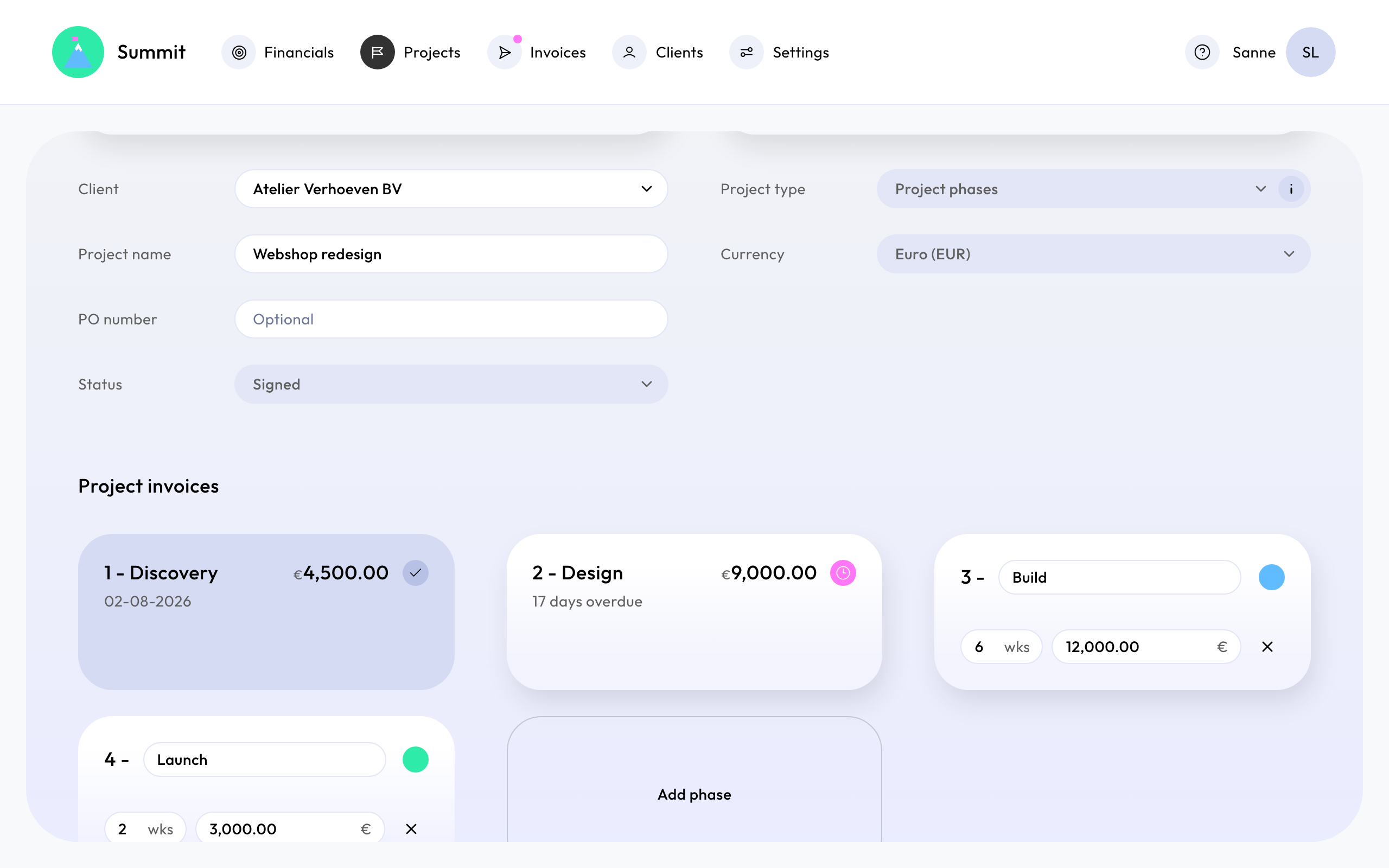
The first phase starts on the project's start date, and each next phase starts the day after the previous one ends. The project ends with its last phase, and its revenue is the total of all phases. You can add up to 20 phases.
One invoice per phase
Each phase is invoiced on the day it ends, for its amount. The invoice line reads "Phase 2 - Design (4 weeks)": the phase's number, name and length.
A phased project has no separate Invoice line: the phase names are the lines.
Changing phases
Move the start date, and all phases move with it. Phases that haven't been invoiced can still be renamed, shortened, lengthened, repriced or removed.
A phase that has been invoiced is locked: its name, length, amount and date stay as they were sent. To correct one of those, see Correct a sent invoice.