Projects
Read the projects timeline
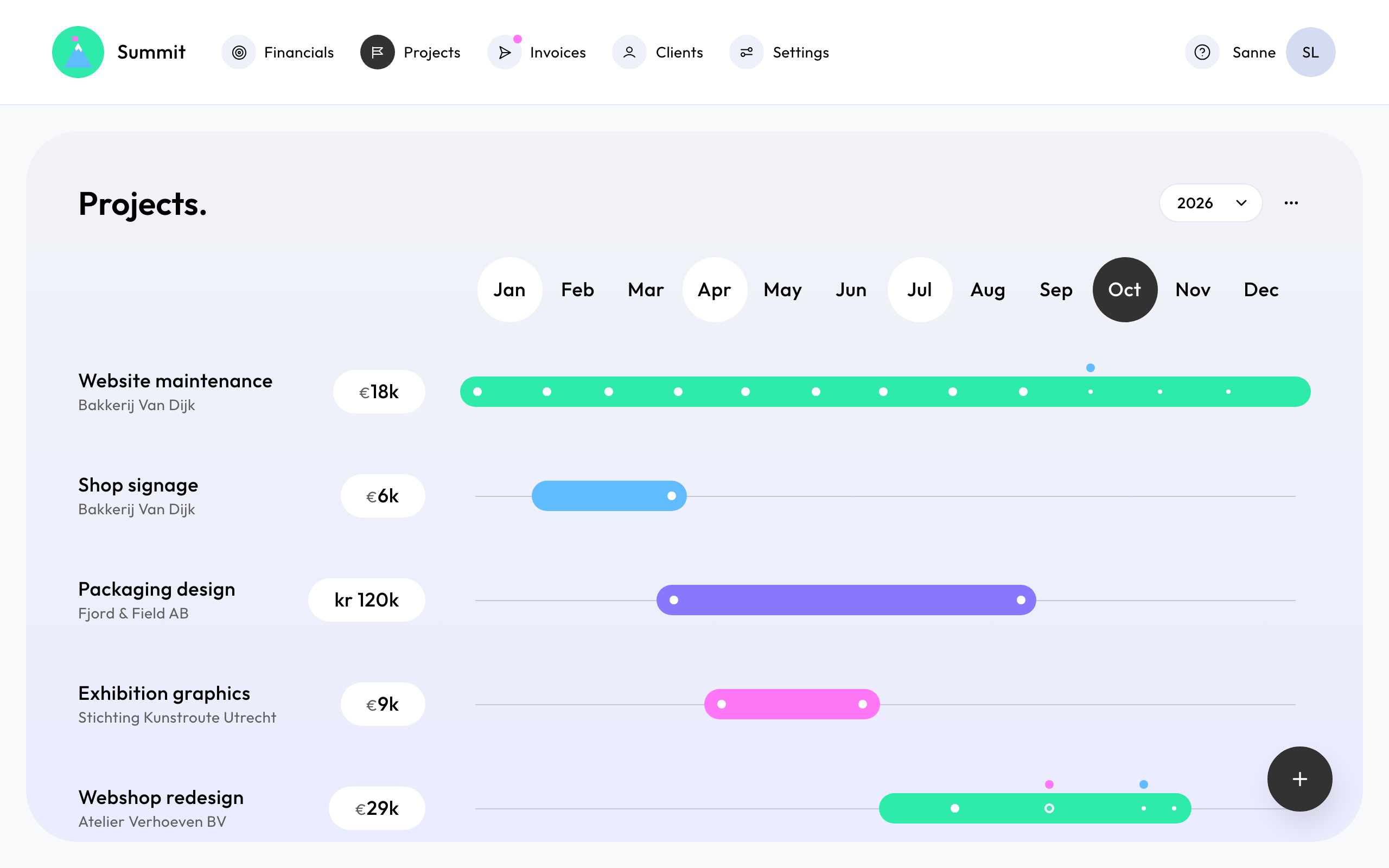
Projects shows your projects for one year, each as a bar from its start to its end. Choose another year at the top. A project that runs across two years shows up in both.
Bars
- Each signed project has a coloured bar. The amount next to it is the project's revenue.
- An opportunity has a light grey-blue bar, and its amount has the same colour. See Opportunities and signed projects.
- A retainer's bar runs on to the 1st of the month after its end date, when its last invoice goes out.
Dots on the bar
Each dot is an invoice, at its scheduled date:
- a solid dot: paid;
- a ring: sent, not paid yet;
- a small dot: planned, not sent yet.
Point at a dot to see the invoice's amount and status: Planned, Scheduled, Ready, Issued or Paid.
Markers above the bar
- A blue marker: the invoice is ready to send.
- A pink marker: the invoice is overdue.
These are the same colours as the dot next to Invoices in the menu. See Find your way around the invoices board.
On your phone
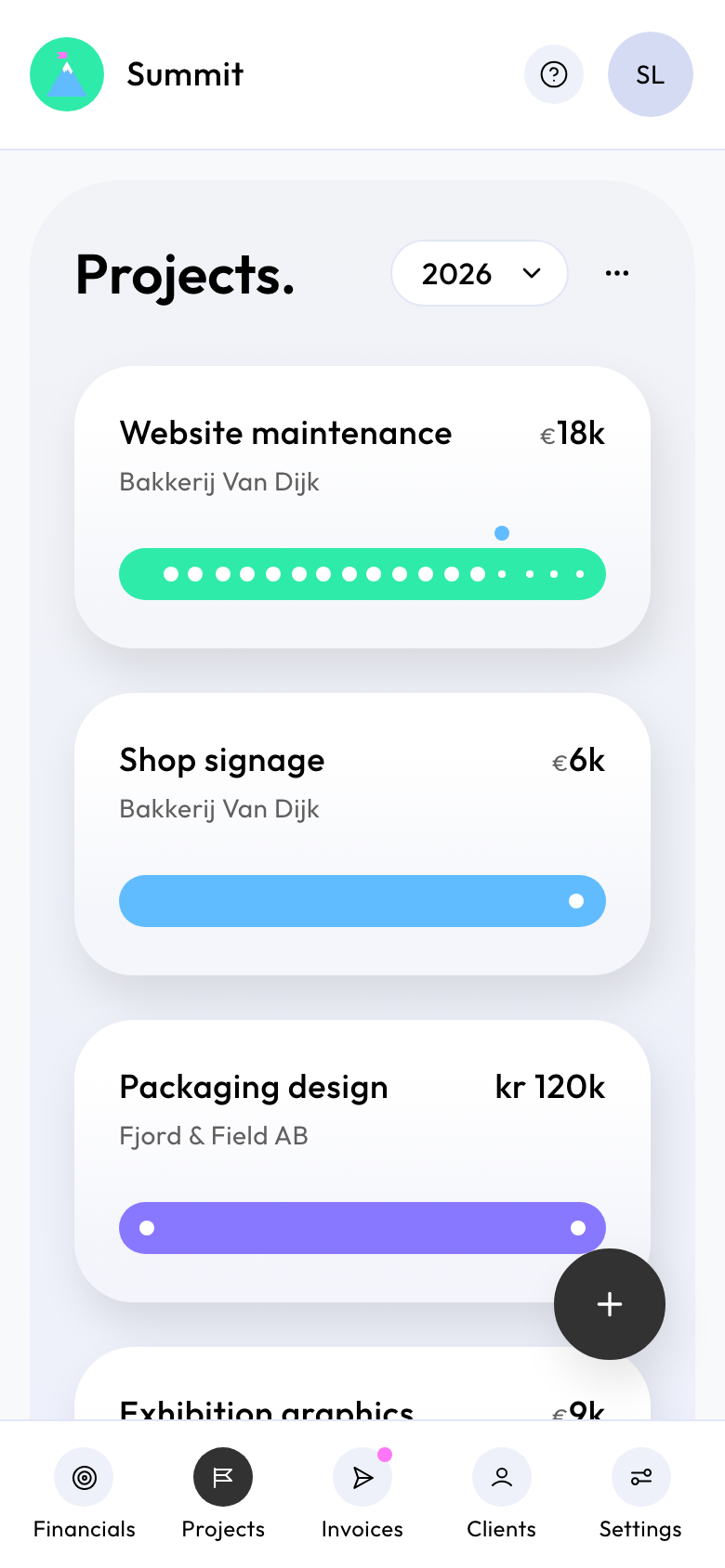
On a phone, each project is a card with its own bar from start to end, with the same dots and markers. Tap a project to open it.