
Invoices
Find your way around the invoices board
Invoices shows every invoice your projects need, from planned to paid, in five columns.
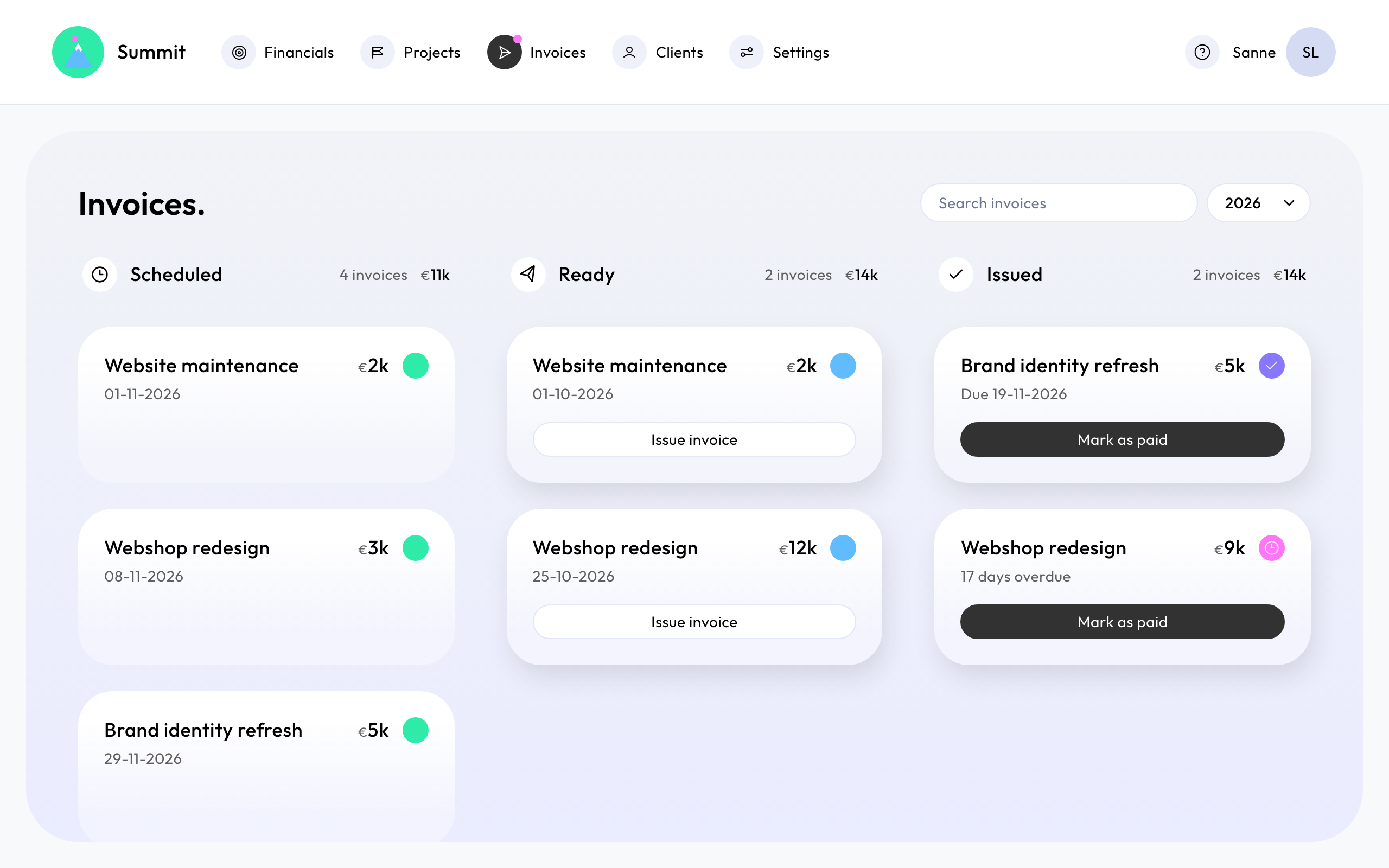
The columns
- Scheduled: planned invoices whose date is still ahead. They follow your project: change the project, and they change with it.
- Ready: planned invoices whose date has come. They wait for you to check and send them. See Review and send an invoice.
- Issued: sent and not paid yet. The card shows the due date, whether the email arrived, and how many days overdue it is. See Check whether an invoice arrived.
- Paid: invoices you've marked as paid. See Mark invoices as paid and send reminders.
- Voided: invoices you've voided, with the reason. See Correct a sent invoice.
An invoice moves from scheduled to ready by itself, on its date. Every other step is yours: you send it, you mark it as paid, you void it.
Columns without invoices are hidden. Open any card to see the invoice.
Year and search
Choose the Invoice year at the top. An invoice belongs to the year of its scheduled date, and stays there when it's sent and paid. Use Search invoices to find an invoice by client, project or number.
The dot in the menu
A dot next to Invoices in the menu tells you there's something to do:
- blue: invoices are ready to send;
- pink: invoices are overdue.
On Wednesdays, the company owner also gets an email when invoices are ready or overdue.