
Projects
Change or archive a project
Change a project
On Projects, open the project, change what you need and choose Save changes. Invoices that haven't been sent follow your changes straight away.
Once invoices have been sent
Sent invoices are part of your records, so some things are locked once a project has them:
- The sent invoices themselves: their amount, date and line stay as they were sent.
- The project stays Signed, and its Currency and start date can't change.
- A fixed price whose invoices have all been sent can't change its total.
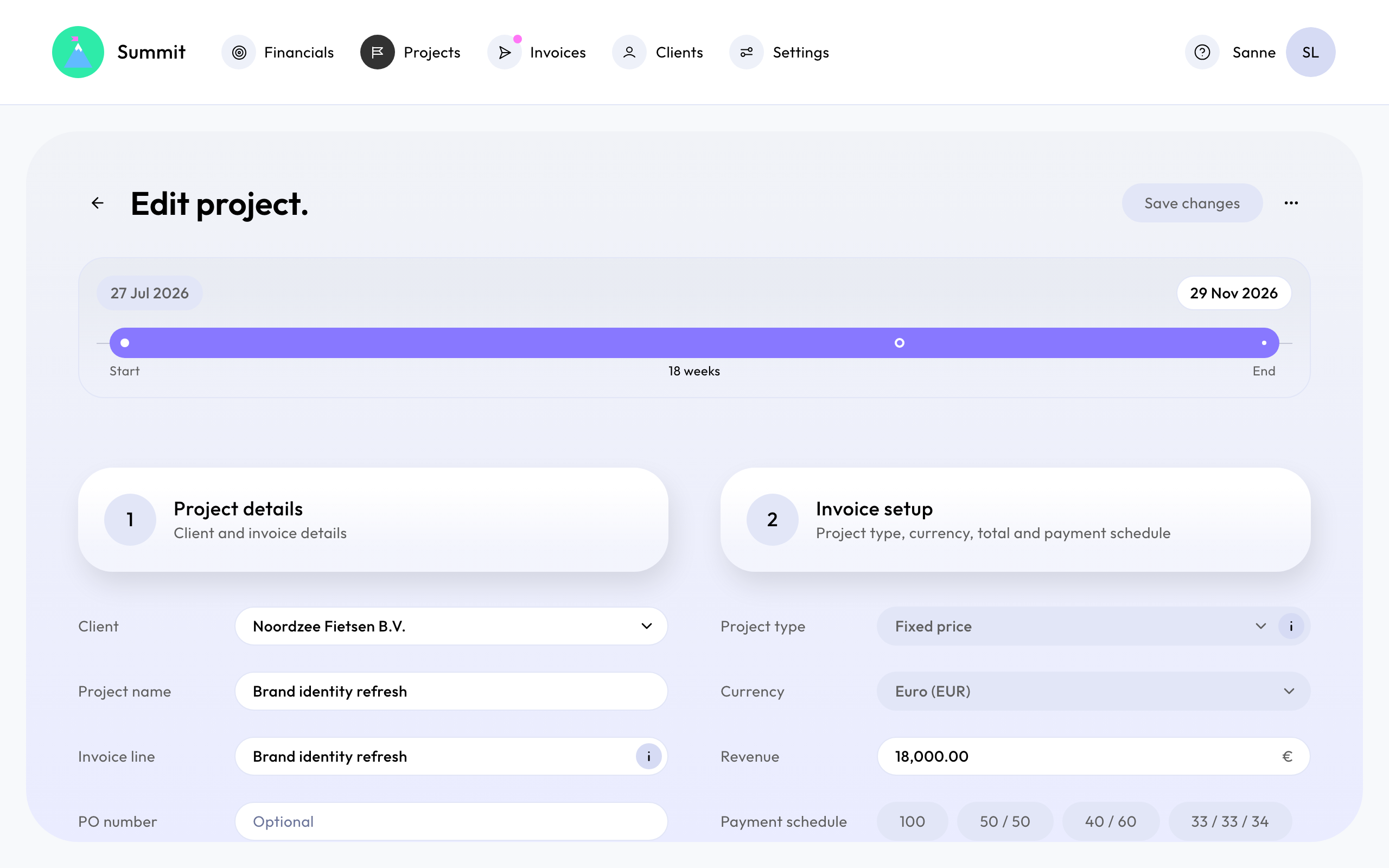
You can still change the end date and the invoices that haven't been sent, as long as a fixed price adds up to 100%. Need to correct a sent invoice? See Correct a sent invoice.
Archive a project
Archiving takes a project off your timeline and removes its planned invoices. Open the project's actions menu and choose Archive.
You can archive a project that has no sent or paid invoices, for example an opportunity that didn't happen. A project with sent or paid invoices stays, because those invoices belong to it. When such a project is done, set its end date: it then only shows in the years it ran.
Restore a project
Choose to show archived projects on Projects, open the project's actions menu and choose Restore. Archived projects can be viewed but not changed until you restore them. A project whose client is archived can only be restored after the client.