
Projects
Invoice a fixed price project
A Fixed price project has one total. You decide how it is split into invoices and when each one goes out.
Choose a payment schedule
In the project's invoice setup, pick a Payment schedule. Every company starts with four: 100, 50 / 50, 40 / 60 and 33 / 33 / 34. Each part is invoiced at the start, the middle or the end of the project.
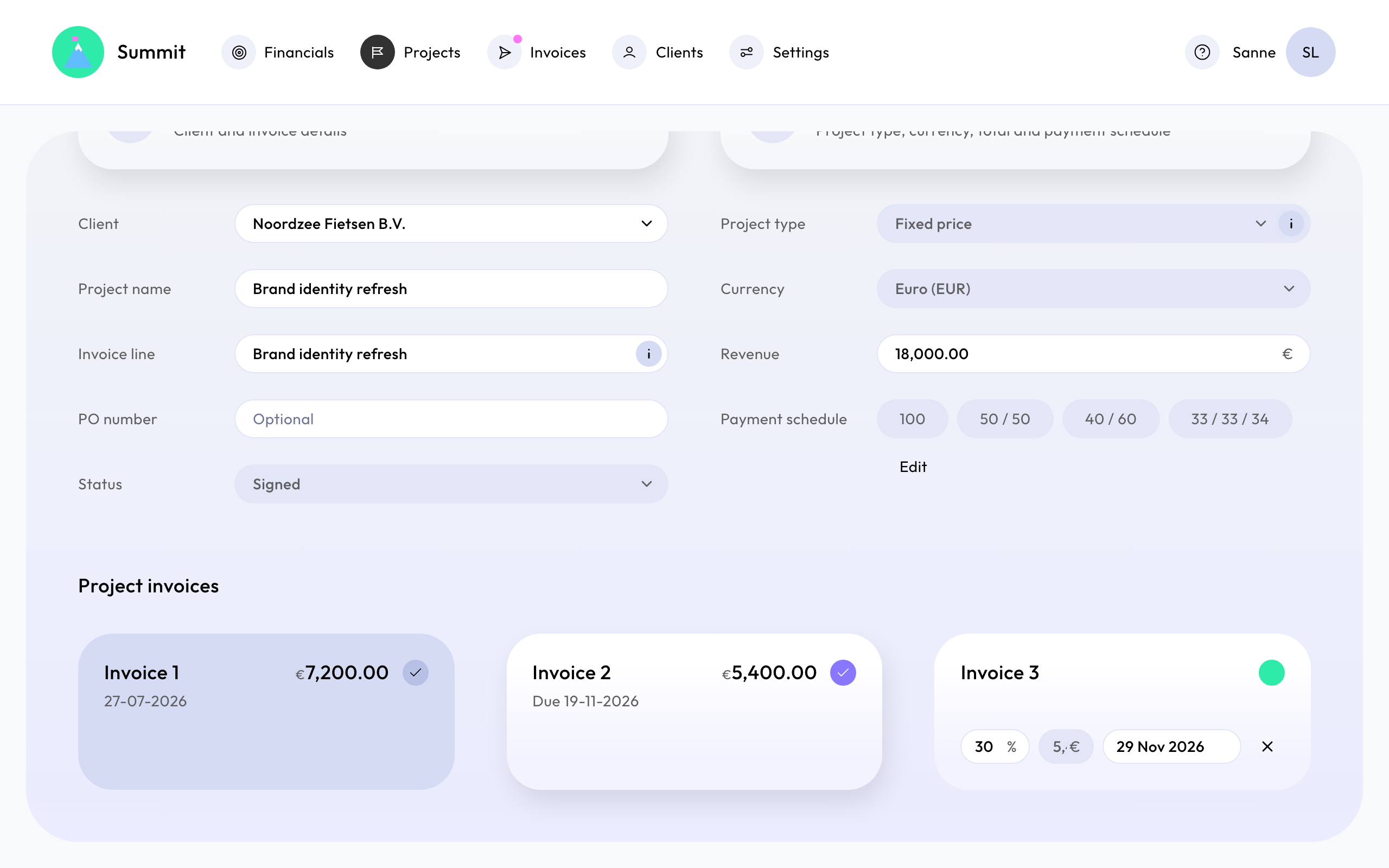
Summit fills in the invoices for you. Each one gets a date from the project's dates and a percentage of the total, with the amount next to it.
Adjust the invoices
Under Project invoices you can still change each invoice:
- Change the Percentage or the Amount. Changing one updates the other.
- Change the Scheduled date. An invoice you date yourself keeps that date. The others follow the project when its dates change.
- Add invoice or remove one.
Together the invoices must add up to exactly 100% of the total.
Your own payment schedules
Choose Add payment schedule to save a split you use often, for example 30 / 70. Percentages must be positive and total exactly 100%. You can edit or delete your schedules, but a company always keeps at least one.
Changing or deleting a schedule never changes projects that already use it: the percentages are copied into the project.
After an invoice is sent
An invoice that has been sent is locked in the schedule. Its amount and date stay as they were sent. You can still change the invoices that haven't been sent, as long as everything adds up to 100%.
Each invoice has one line, for example "Website redesign - Invoice 2 (50% of the project)". The first part is the project's Invoice line, or its name when that is empty.
Retainers and project phases don't use a payment schedule. See Invoice a monthly retainer and Invoice a project in phases.