
Account, team and subscription
Delete your account
Deleting your account deletes your whole company in Summit: clients, projects, invoices and team. Only the company owner can do it.
Do you only want to stop paying? Then cancel your subscription instead, and keep your data. See Your subscription and Summit invoices.
Schedule the deletion
Go to Settings, scroll to Account deletion and choose Delete account. To confirm, type your company name or DELETE, and choose Schedule deletion.
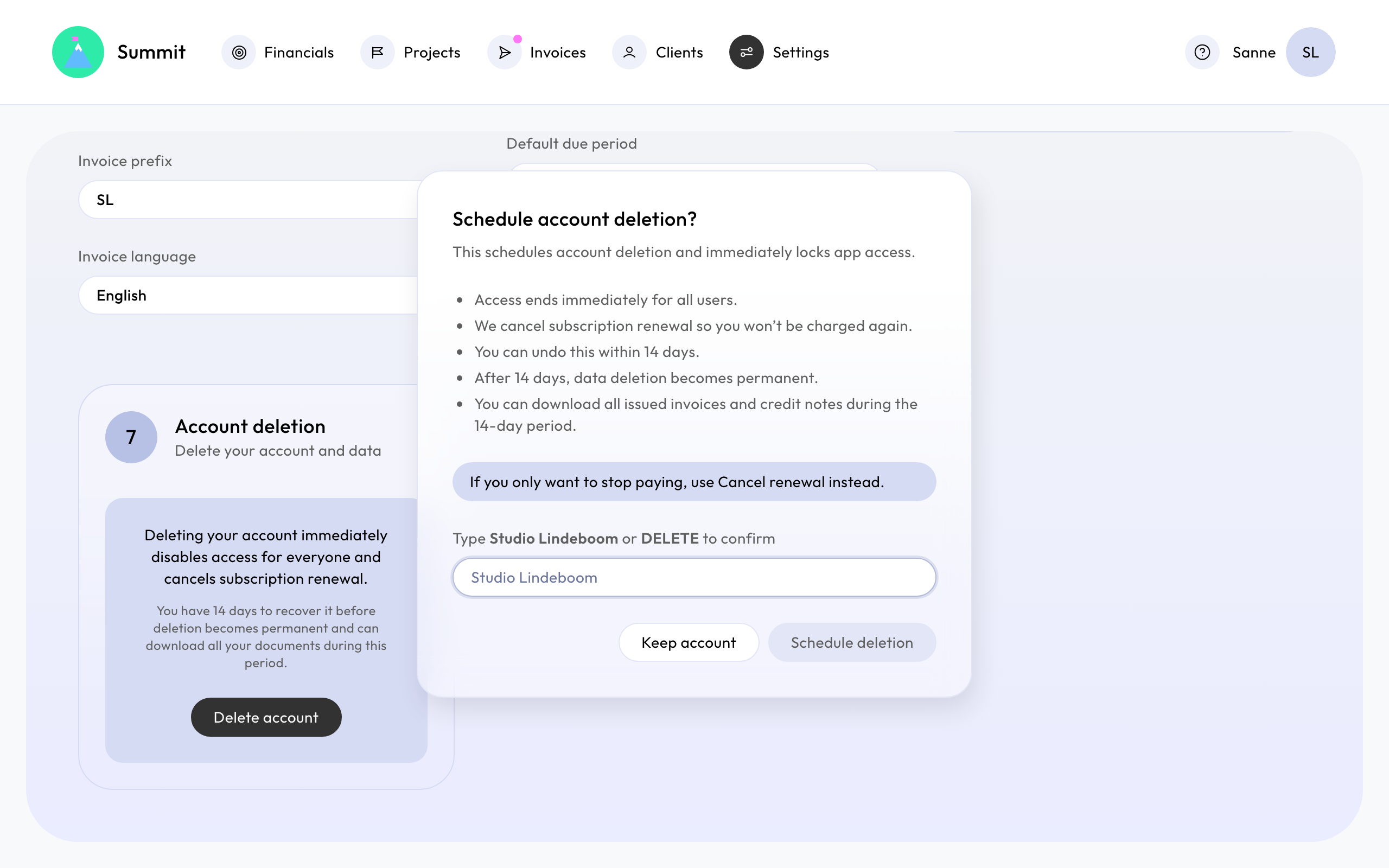
Then right away:
- Access ends immediately for all users.
- We cancel subscription renewal so you won’t be charged again.
- You get an email confirming the deletion date.
14 days to change your mind
The deletion becomes final 14 days later. Until then, the owner can sign in and choose Undo deletion. Everything comes back as it was. Your subscription doesn't restart by itself: choose Undo cancellation on Subscription if you want it to renew again.
Download your invoices first
Summit is not a long-term archive for your bookkeeping. During the 14 days, the owner can sign in and choose Download financial documents: one ZIP file with the PDF of every invoice and credit note you sent, grouped by year, and a spreadsheet (CSV) listing them.
Keep it with the rest of your records. After the 14 days it can't be downloaded anymore.
After 14 days
Your company and its data are deleted permanently. This can't be undone. Summit keeps only its own invoices for your subscription, which it has to keep for its bookkeeping.