
VAT and compliance
VAT on your invoices
Summit puts VAT on each invoice according to the client's Tax treatment. Summit doesn't give tax advice: if you're not sure what applies to you or a client, ask your accountant.
Standard VAT
Standard VAT (21%) charges 21% over every line except costs you pass on without VAT. The invoice shows the amount before VAT, the VAT and the total. Summit uses the standard rate only; reduced rates such as 9% aren't supported.
Invoicing in another currency than euros? A standard VAT invoice also shows the VAT in euros, with the exchange rate of the invoice date, as the tax authorities require.
Reverse charge
For a business client in another EU country, Reverse charge (0%) charges no VAT: your client declares it in their own country. The invoice says "VAT reverse charged" and shows your client's VAT number.
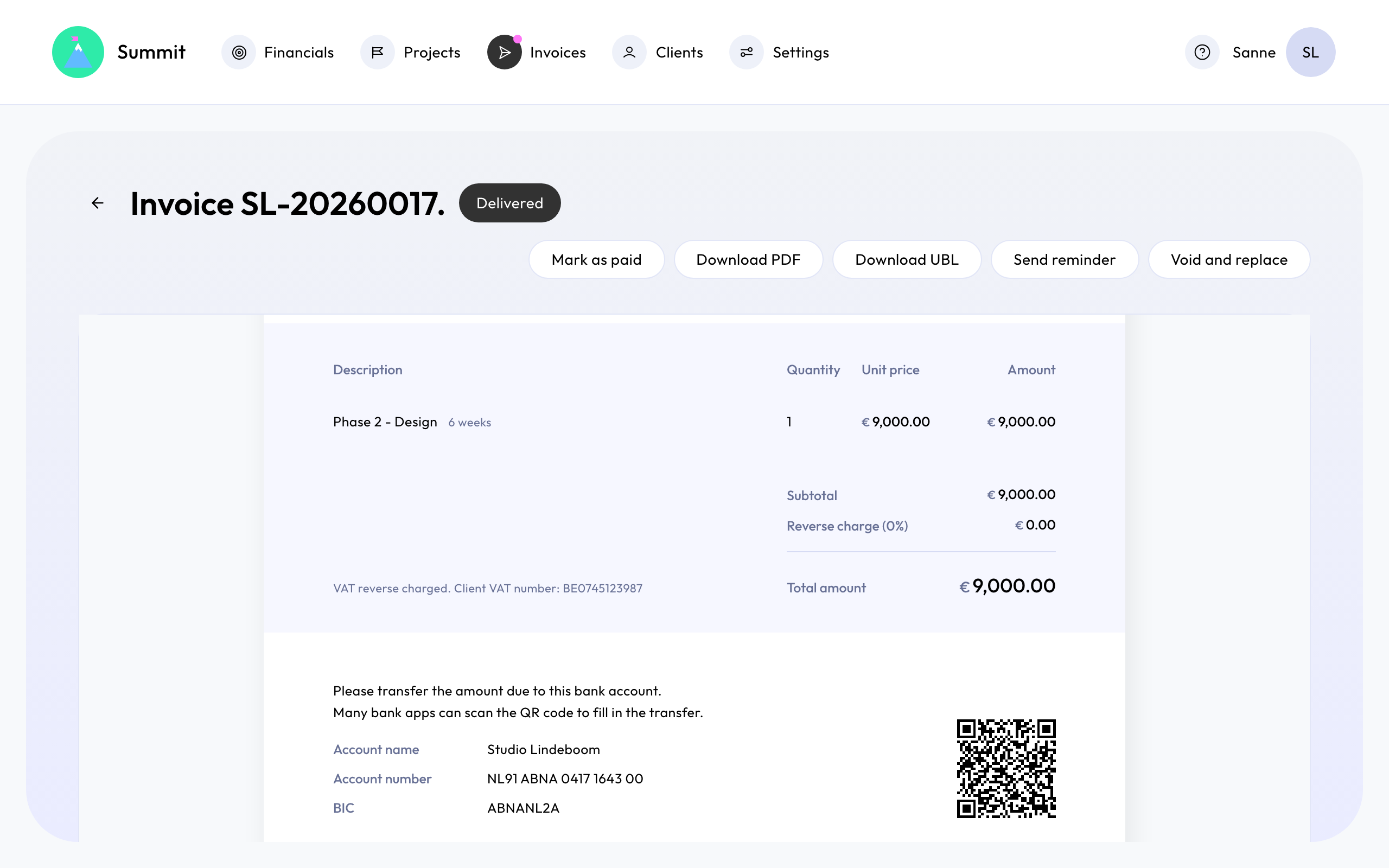
This needs your own VAT number in Settings and a verified VAT number for the client.
The VAT number check (VIES)
When you enter a VAT number, for your company or a client, Summit checks it in VIES, the EU's VAT number register, and shows the result under the field.

- For your company and for most clients, the check is a help: you can save even if VIES says no or isn't available.
- For a reverse charge client, the number must be confirmed by VIES before you can save. If VIES is down, try again a little later.
Small business scheme
If you use the small business scheme (the KOR in the Netherlands, the special exemption scheme for small businesses in Belgium), you charge no VAT at all. Choose Small business scheme (0%). The invoice states why no VAT is charged, in the words of your country's scheme. Without a VAT number in your company settings, Summit suggests this for every new client.
Clients outside the EU
For a client outside the EU, choose Outside the EU (0%). The invoice has no VAT.
Credit notes and sent invoices
A sent invoice keeps the VAT it was sent with, even if you change the client's treatment later. A credit note reverses exactly the VAT of the invoice it cancels.
To choose the treatment per client, see Choose the right VAT treatment for a client.