
Projects
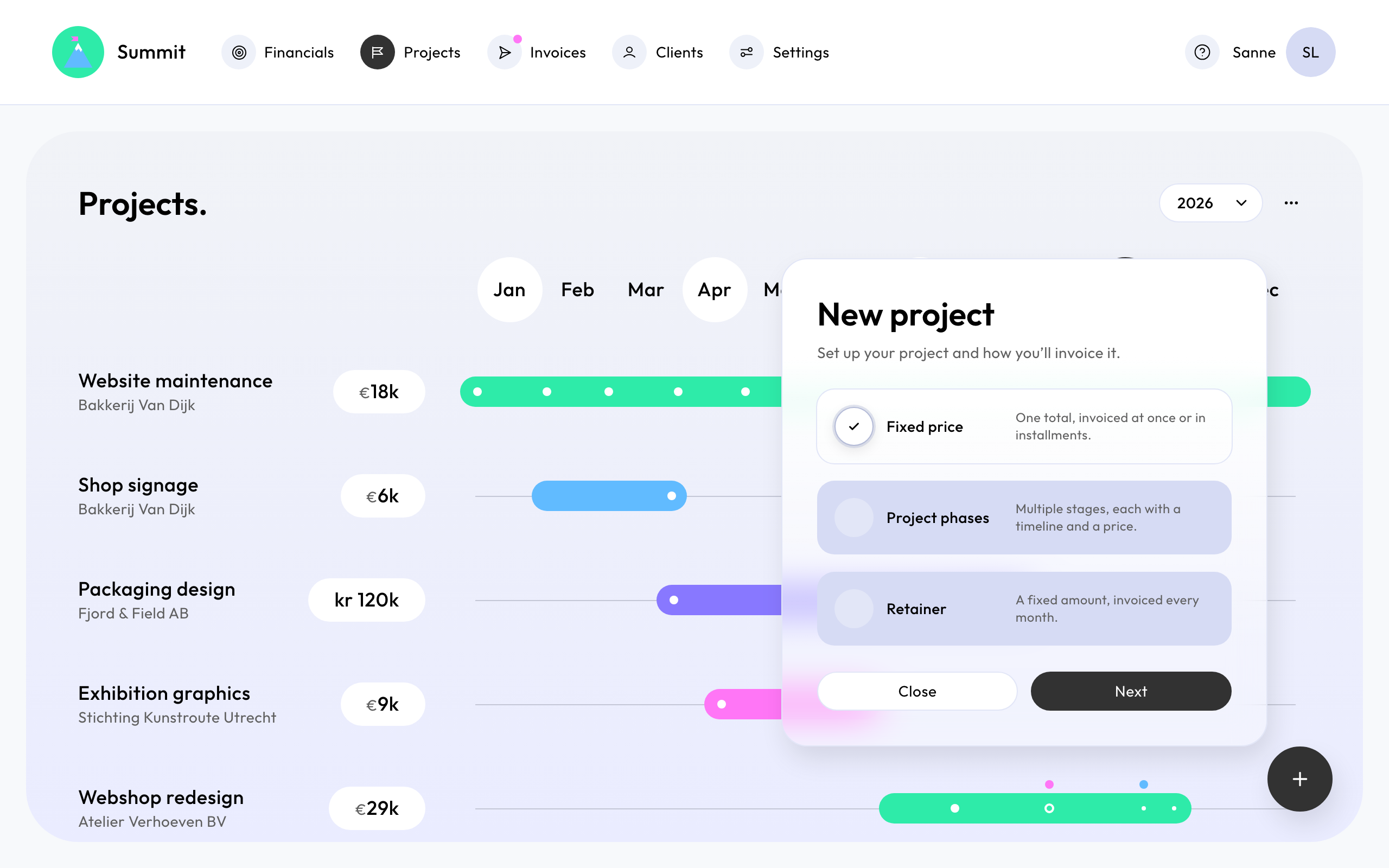
Choose a project type
A project describes what you agreed with a client. Summit plans its invoices from it, so the project type decides when your client is invoiced and for how much.
Which type fits
- Fixed price: One total, invoiced at once or in installments. For an agreed price for the whole job, such as a website for €12,000 paid in two parts. Invoice line: "Website redesign - Invoice 2 (50% of the project)". See Invoice a fixed price project.
- Retainer: A fixed amount, invoiced every month. For ongoing work at a fixed monthly fee, such as €2,000 a month for support. Invoice line: "Management fees (1 Oct 2026 - 31 Oct 2026)". See Invoice a monthly retainer.
- Project phases: Multiple stages, each with a timeline and a price. For work in stages you invoice as each one is done, such as research, design and build. Invoice line: "Phase 2 - Design (4 weeks)". See Invoice a project in phases.
Create a project
Go to Projects and choose New project (the + button). Then:
- Pick the Project type.
- Project details: the Client, the Project name, and optionally a PO number and the Invoice line: the text at the start of each invoice line, such as "Management fees". Without it, the project name is used.
- The dates, the Currency and the amount: the total for a fixed price, the Monthly revenue for a retainer, or the phases.
- Project invoices: check the date and amount of each planned invoice.
Every project belongs to a client, so add the client first. See Add a client.
A new project can be an opportunity or signed. Only signed projects get invoices. See Opportunities and signed projects.