
Projects
Invoice a monthly retainer
A Retainer is for ongoing work at a fixed monthly fee. You enter the Start date, the End date and the Monthly revenue, and Summit plans one invoice per month.
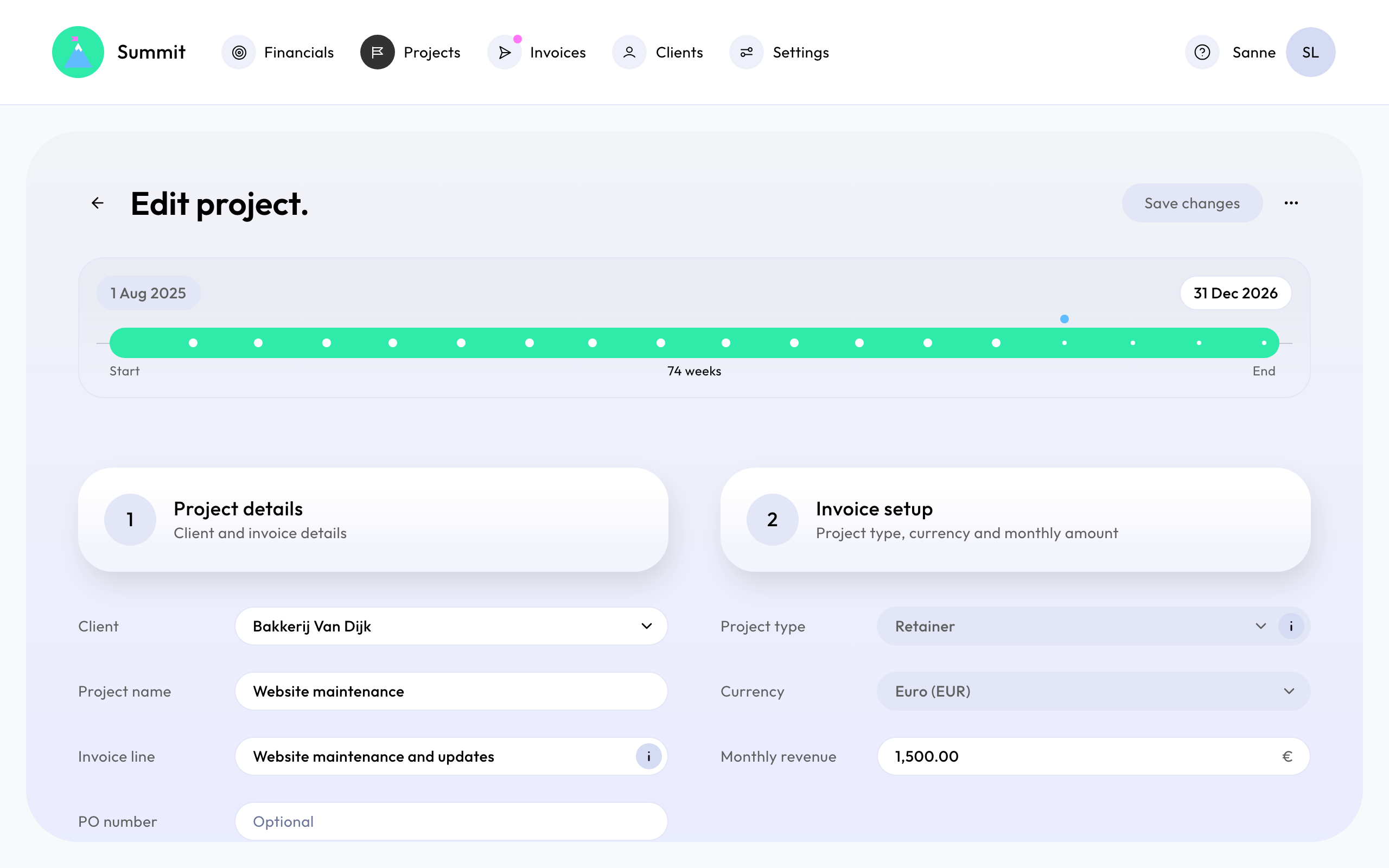
When each month is invoiced
Each month is invoiced afterwards, on the 1st of the next month. The work in October is on the invoice of 1 November, with the line "Management fees (1 Oct 2026 - 31 Oct 2026)". The first part is the project's Invoice line, or its name.

The last invoice therefore comes after the end date: a retainer that ends on 31 December has its last invoice on 1 January. On Projects, its bar runs on to that date.
Part months
When the project starts or ends partway through a month, that month is charged for the days it covers. A project starting on 16 April at €3,000 a month invoices €1,500 for April (15 of 30 days) on 1 May, and the full €3,000 from then on.
Changing a retainer
The monthly invoices follow the project: change the end date or the monthly amount, and the invoices that haven't been sent change with it. Invoices you've already sent stay as they were. You can't edit a single month's amount, but you can add a line to an invoice before you send it, for extra work or costs. See Add costs you paid for a client.
To stop a retainer, set its end date. Once it has sent invoices, its start date and currency can't change. See Change or archive a project.