
Getting started
How Summit works
Summit turns the agreements you make with clients into invoices on the right dates. You describe a project once, and Summit plans every invoice it needs. Nothing goes out on its own: you check each invoice and send it yourself.
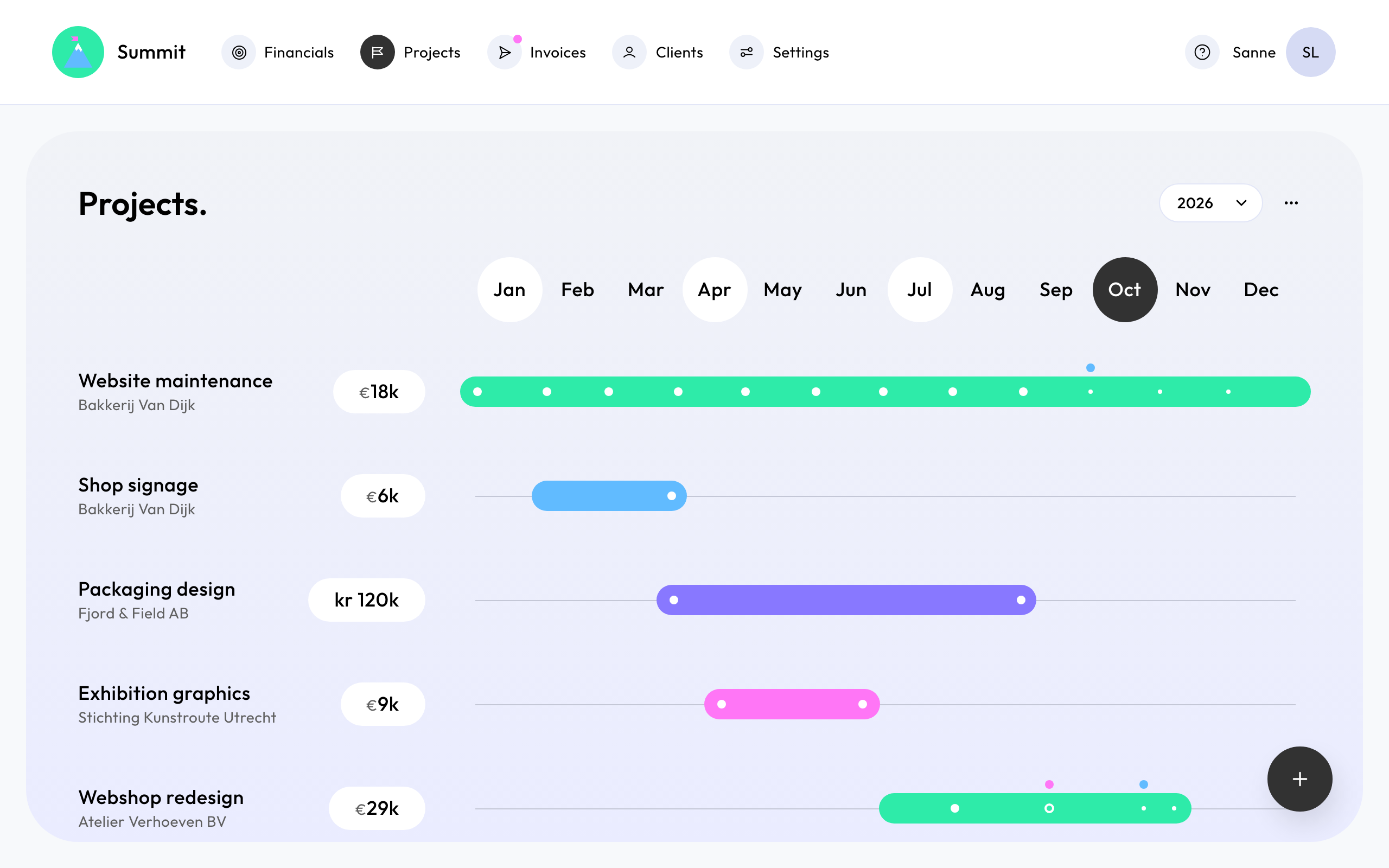
The flow
- Your company. Your company details, bank account and invoice defaults appear on every invoice. You fill them in once, in Set up your company, and can change them later in Settings.
- Clients. A client is who you invoice: their address, the email address invoices go to, and how VAT works for them. See Add a client.
- Projects. A project describes what you agreed: a Fixed price, a monthly Retainer, or Project phases. From it, Summit plans the invoices, each with a date and an amount.
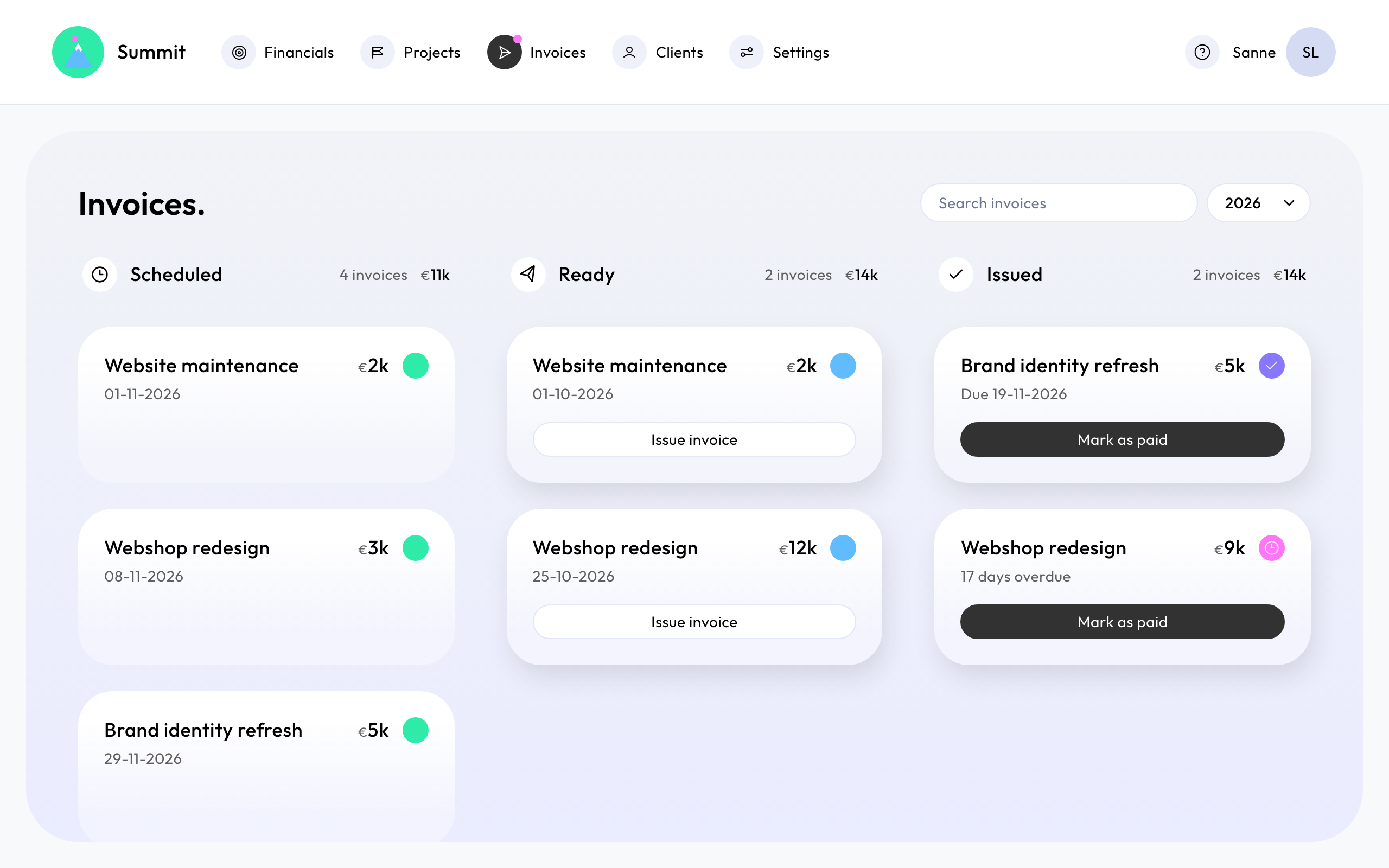
- Invoices. Planned invoices wait on Invoices as Scheduled. From their date they are Ready. Open one, check it, and choose Issue invoice. Summit gives it the next invoice number and emails it to your client.
- Getting paid. When your client pays, open the invoice and choose Mark as paid. Financials shows your signed revenue per month and quarter, what your opportunities could add, and how much of the year is invoiced and paid. See Track revenue in Financials.
Opportunities
Not every project is signed yet. Save it as an Opportunity and it shows up in Financials as a possible amount, but Summit doesn't plan invoices for it. Change it to Signed once the client agrees, and its invoices appear.
What Summit doesn't do
Summit is not an accounting package. It prepares, sends and tracks your invoices. Every invoice can also go to your bookkeeping email address, so your accountant or bookkeeping software gets a copy.