
Projects
Sell prepaid packages
A package is a bundle of sessions your client pays upfront, such as "10 massages" or "20 piano lessons". Summit invoices it once, at its start. It doesn't count the sessions used and doesn't book appointments.
Set up your packages
You set up packages while you sell one, not in a separate settings page. A package has:
- a Title, such as "10 massages";
- the number of Sessions, shown on the invoice;
- the Price (incl. VAT): what your client pays, VAT included;
- how long it's Valid for, in months;
- the VAT, 21% unless you choose otherwise (see VAT on your invoices).
Open the Package list. The first time it offers Create your first package; after that it shows your packages with New package at the end. The pencil next to a package opens it for editing. To stop selling a package, open it and choose Delete package in its actions menu.
Changing or deleting a package never changes packages you already sold: a project keeps the title, price, VAT, sessions and validity it was sold with.
Sell a package
Go to Projects, choose the + button and pick Package. Then choose:
- the Package;
- the Client. Type to search. When you pick a client, the package they bought last is chosen for you, if you hadn't picked one yet. New client adds a client without leaving the screen, set to Consumer;
- Valid from: today, unless you pick another day.
Valid until follows from the package and can't be changed: a package valid from 1 March for 6 months is valid until 31 August. A package is always signed. A client can't have two packages that start on the same day.
Consumers
Most packages are sold to private persons. For a client of the type Consumer, Summit only needs a name, an email address and a country; the address is optional. A consumer has no VAT number and is always invoiced in your own currency. See Add a client.
The invoice
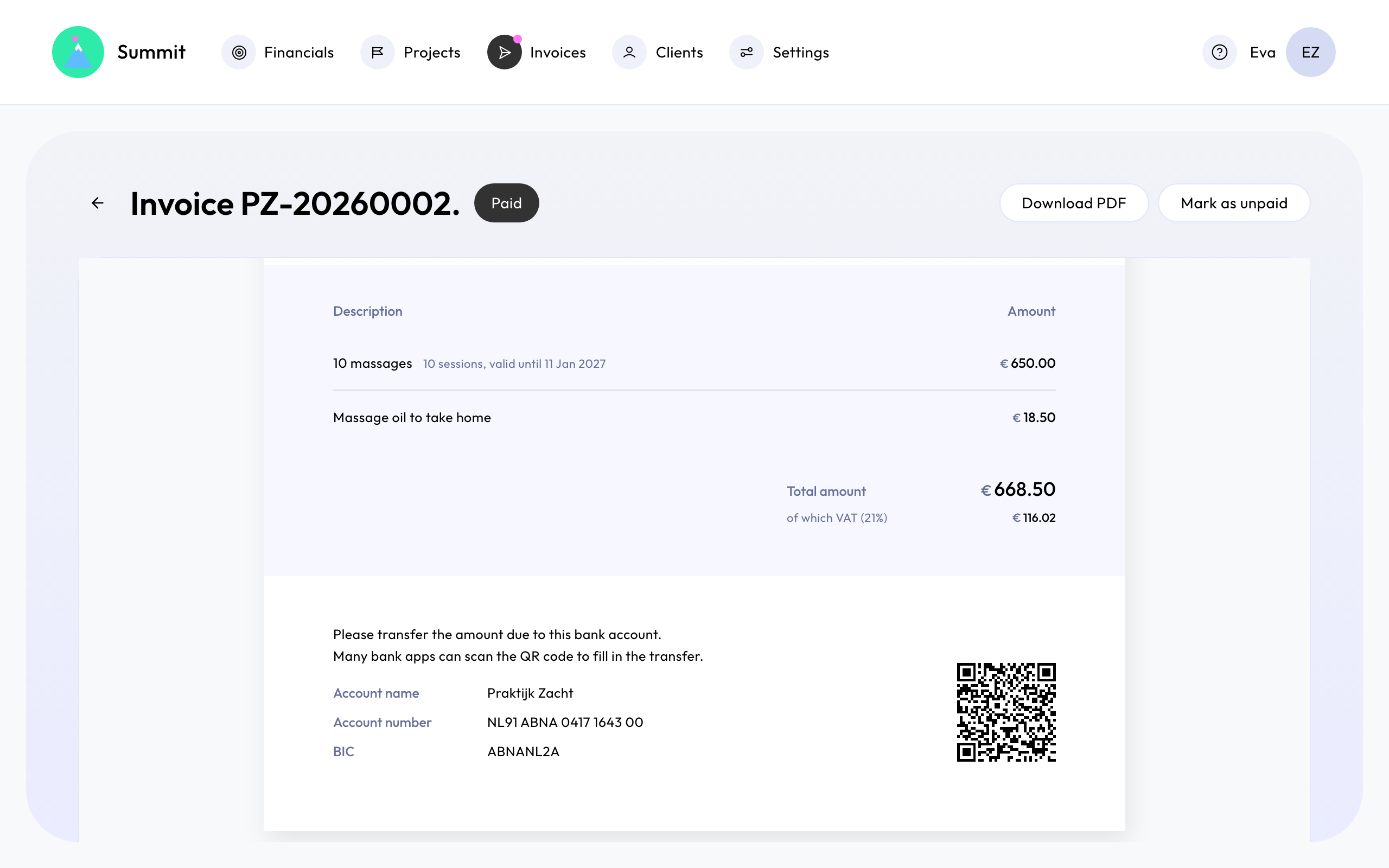
A package has one invoice, dated at its start. It appears under Invoices as Scheduled, or as Ready when the start is today or earlier, and you send it like any other invoice. The invoice line reads, for example, "10 massages (10 sessions, valid until 31 Aug 2026)", in the invoice's language.
The price is the amount your client pays. With 21% VAT, €650 is €537.19 plus €112.81 VAT. A consumer's invoice shows each line at its price incl. VAT, then the total, with "of which VAT" underneath. Lines you add to a package's invoice are entered incl. VAT too. If the client's VAT treatment is the small business scheme, reverse charge or outside the EU, that treatment applies instead. See Choose the right VAT treatment for a client.
Financials and the Projects overview count a package's revenue without VAT, in the month it starts.
On the Projects overview
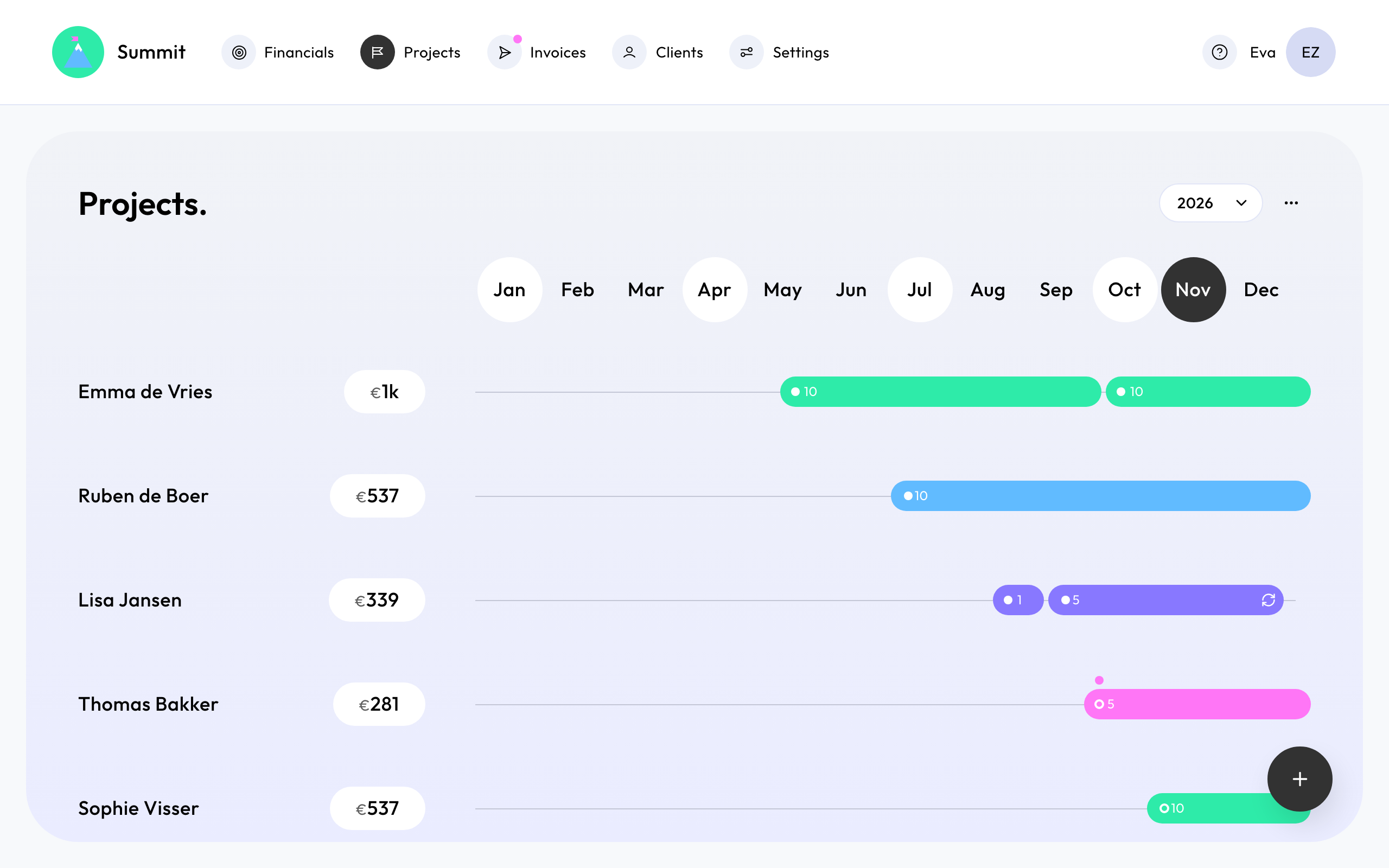
A client's packages share one row, with a bar for each package from its start to its end. The number on a bar is its number of sessions. When a new package starts before the previous one ends, the earlier bar is drawn shorter so you can click both; their dates don't change. Click a bar to open the package.
Change a sold package
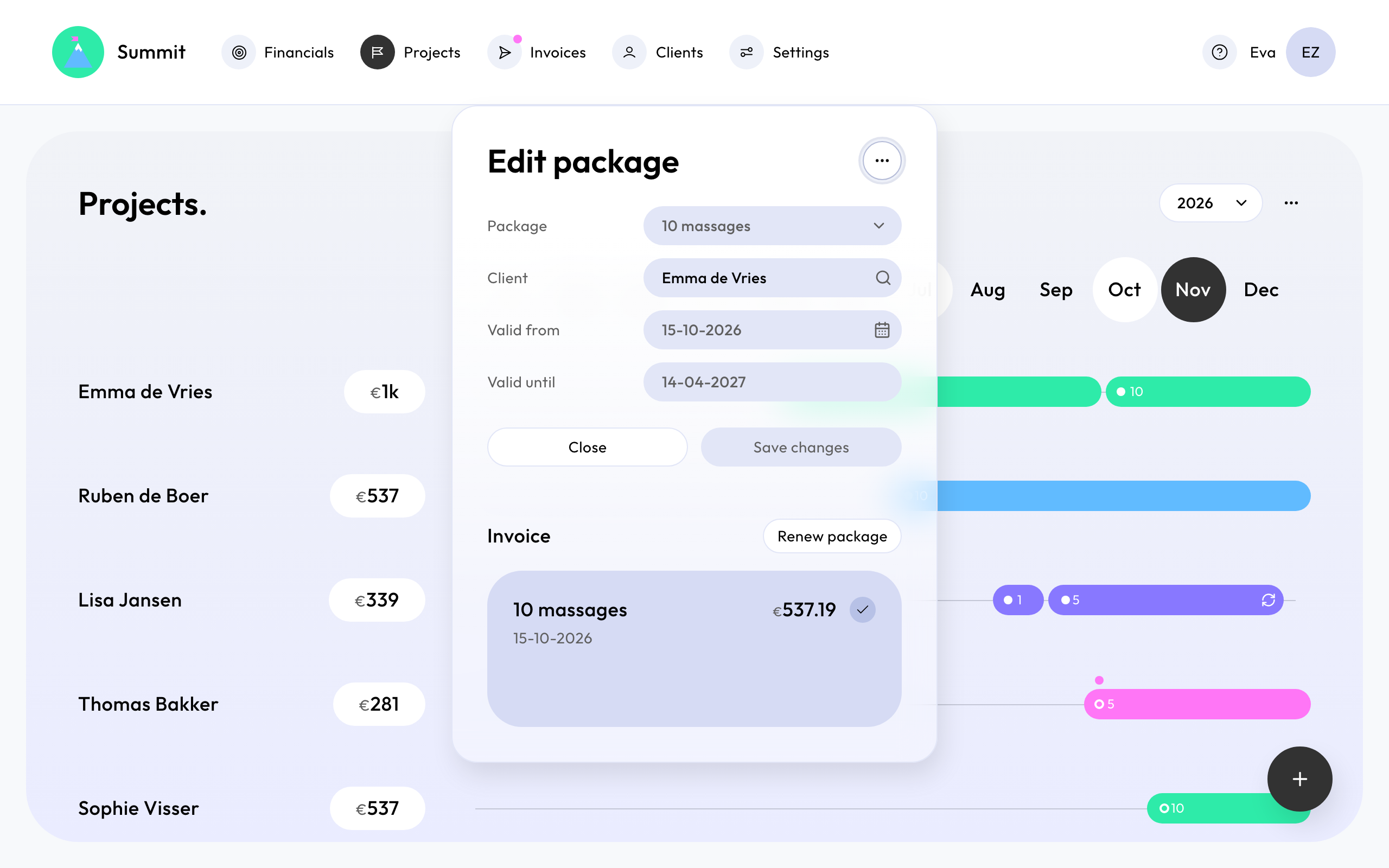
Click the package's bar on Projects. Until its invoice is sent you can pick another package, client or start date. Picking another package copies that package as it is now. Once the invoice is sent, the package, the client and the start date stay as they are. The package's invoice is shown under Invoice; click it to open the invoice.
Renew a package
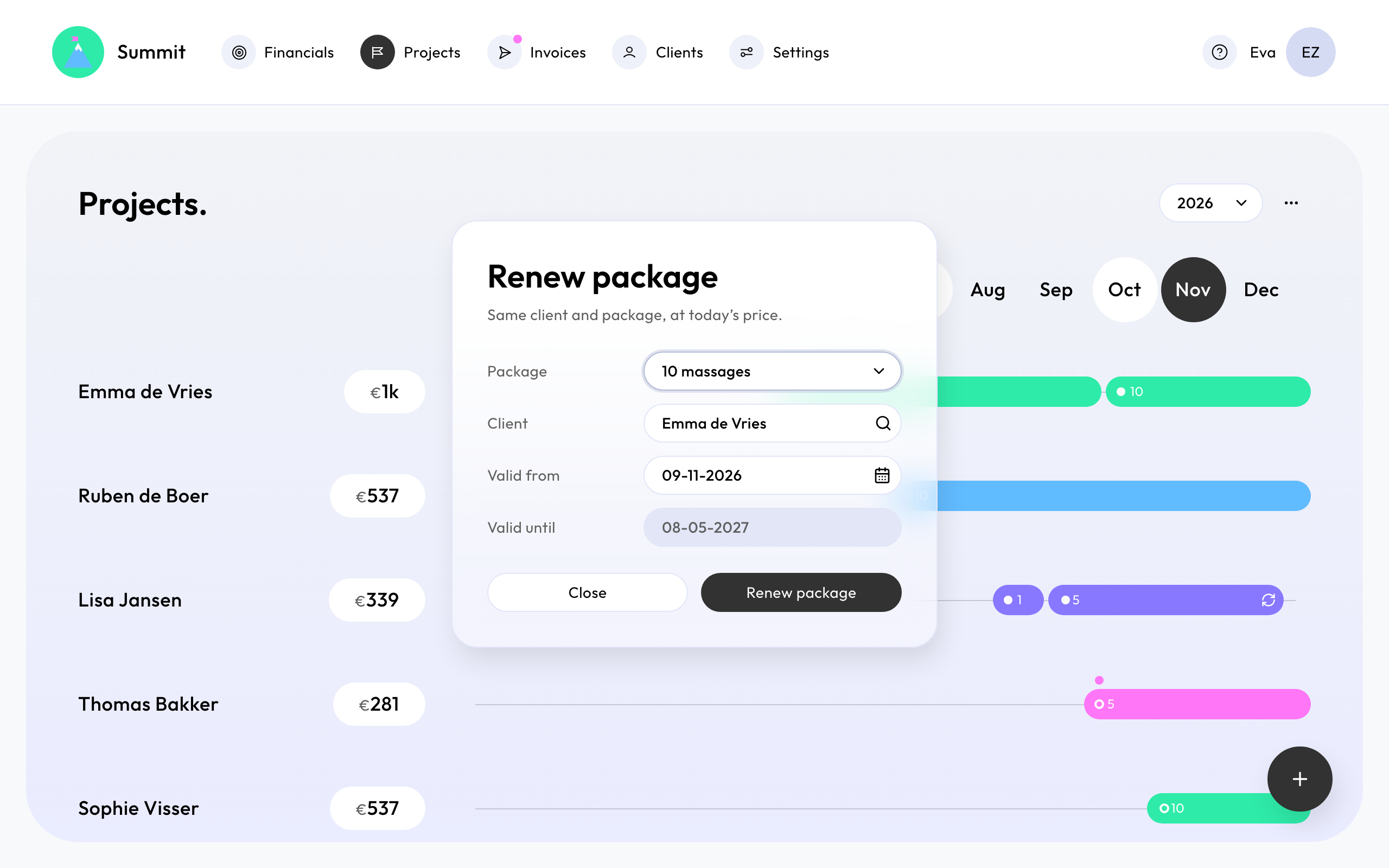
Once a package's invoice is sent, you can renew it: choose Renew package in the package, or the renew icon at the end of the client's last package bar. The package is filled in with the same client and the same package at today's price, starting today. Change the date if you like, then choose Renew package. The old package stays as it is.
Clients often renew before their sessions run out of time, so packages of one client may overlap.